
KidStory Admin Dashboard
A local-only admin panel for managing the KidStory app. Built with Next.js and Firebase Admin SDK.
Local only — never deployed. This panel runs on your machine and connects directly to Firestore using Application Default Credentials (ADC). It is not and should not be exposed to the internet.
Pages
Dashboard — /
Overview of all KidStory usage: total users, total stories, pro/free breakdown, new signups (last 7 days), top 5 users by story count, average rating.
Screenshot: Dashboard
Users — /users
Full list of all registered users with name, email, plan (Pro/Free), story count, streak, and credits remaining. Click any user to open their detail page.
Screenshot: Users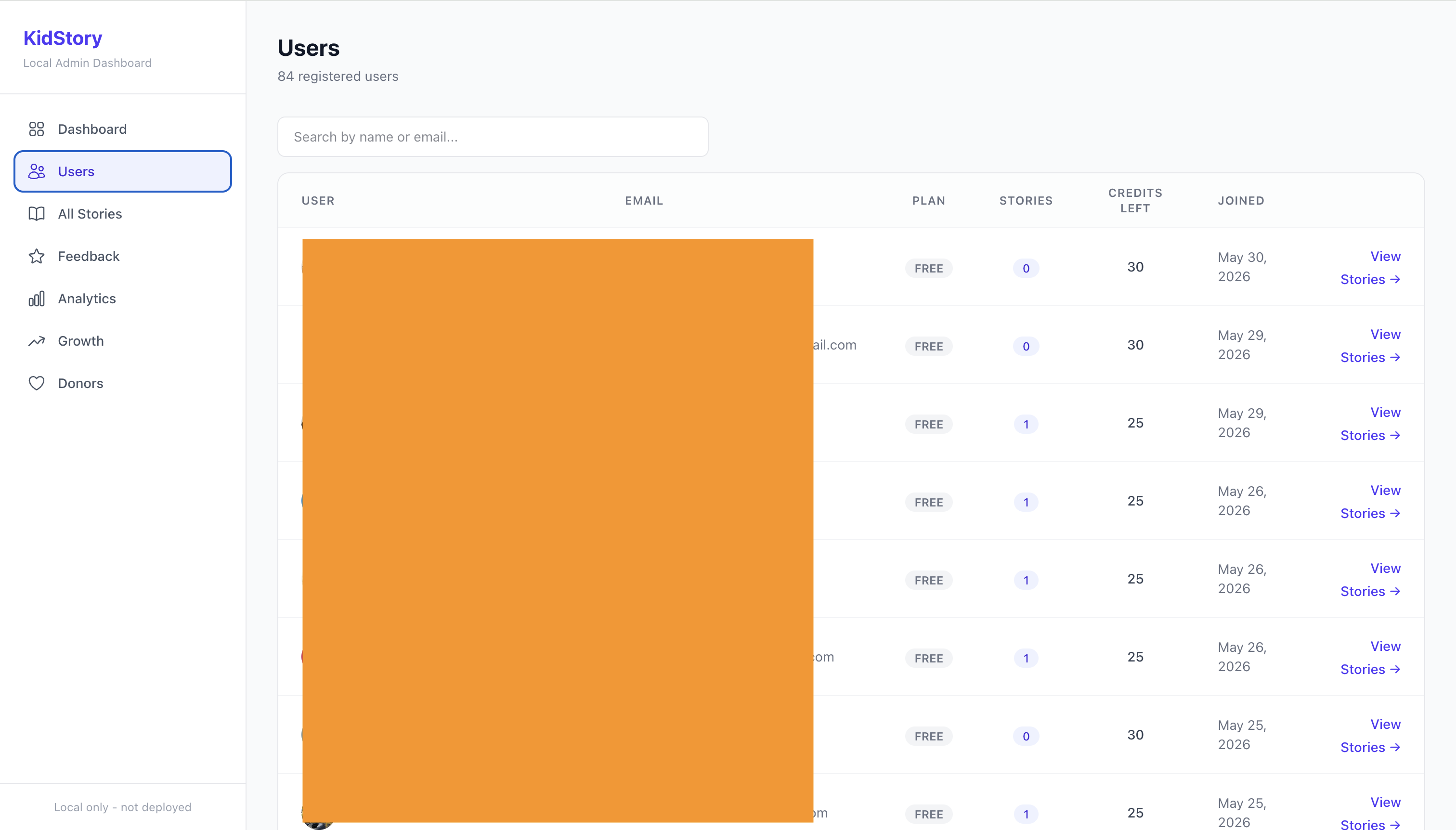
User Detail — /users/[uid]
Individual user profile: credits, plan status, story history with quiz scores, reading streak, and the Pro/Free toggle button to upgrade or downgrade the user.
Screenshot: User Detail
All Stories — /stories
Browse every story generated across all users — title, author, language, page count, quiz score, and creation date.
Screenshot: All Stories
Feedback — /feedback
All in-app star ratings and messages submitted by users, with name, email, rating (1–5), message, and date.
Screenshot: Feedback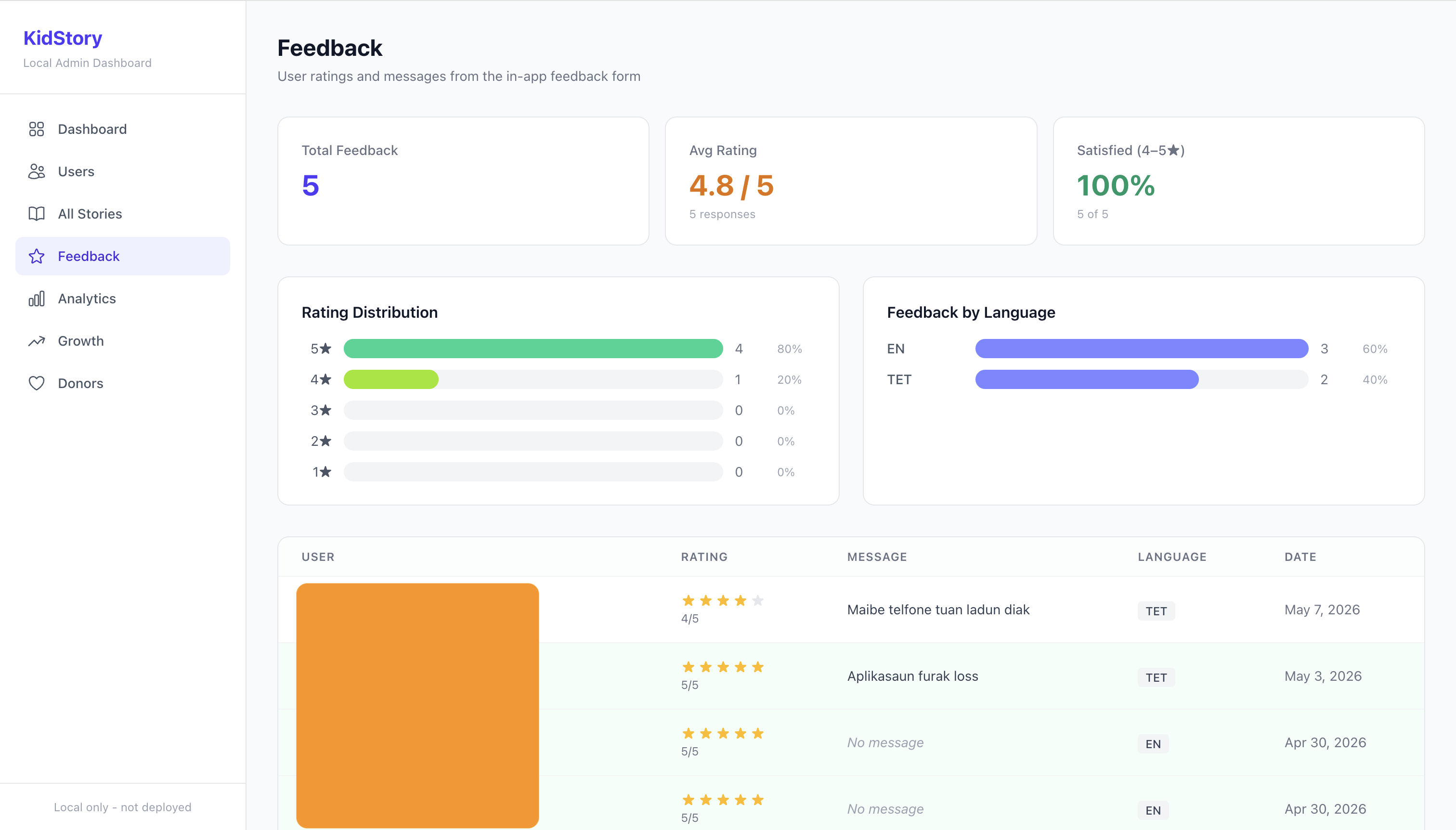
Analytics — /analytics
Credit usage stats, stories by language distribution, credits remaining distribution, top credit consumers, and quiz engagement metrics.
Screenshot: Analytics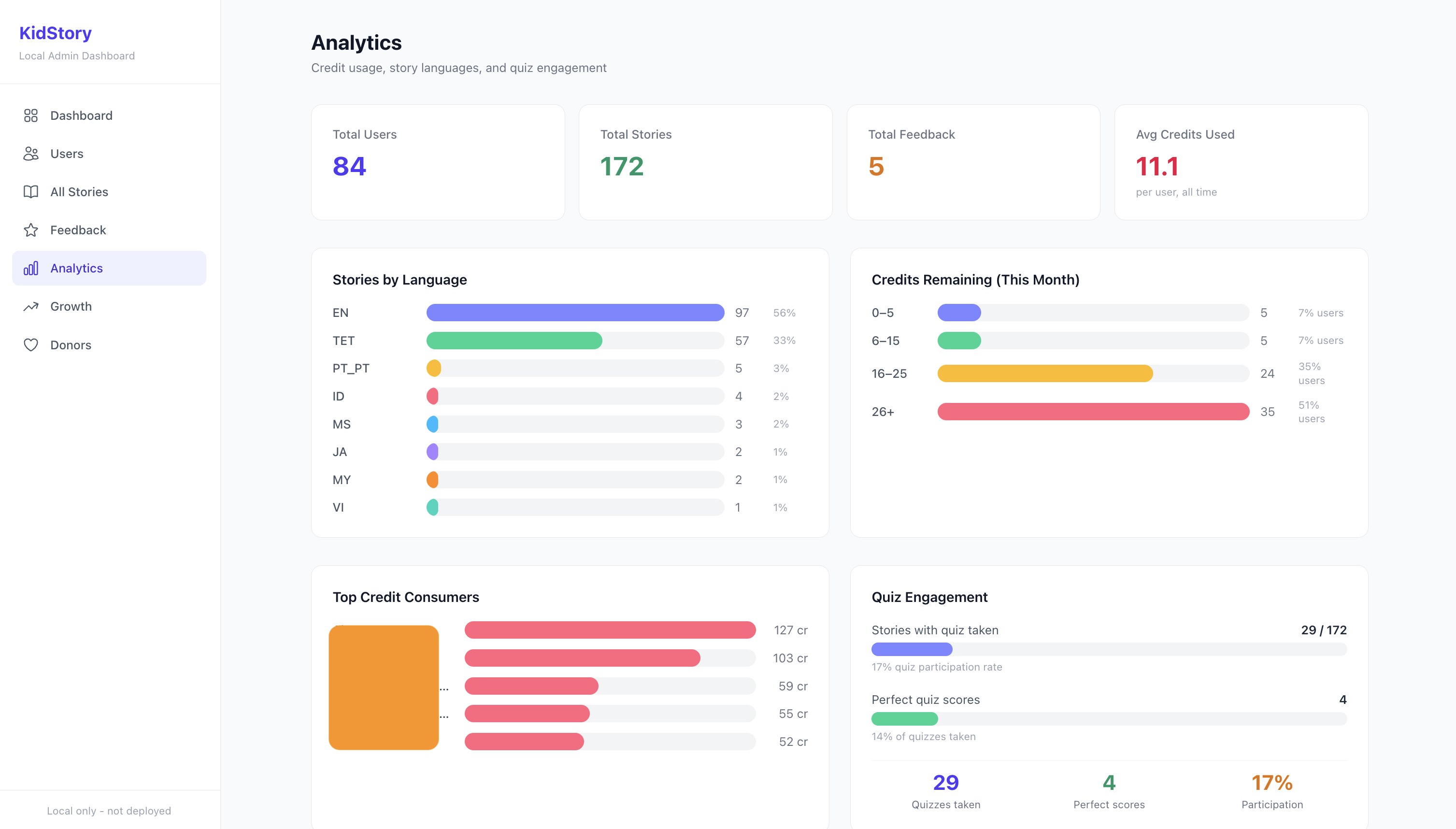
Growth — /growth
Daily and monthly time-series charts for new users, books generated, credits spent, and quizzes taken. Includes monthly summary table and Pro/Free plan distribution.
Screenshot: Growth
Donors — /donors
Manage donors shown on the public /donors page. Add new donors (name, amount, photo URL, social link, message) and remove existing ones.
Screenshot: Donors
Features
- Dashboard — total users, total stories, pro/free breakdown, top 5 users by story count, new signups sparkline
- Users — list all users, search, view individual user details (credits, streak, quiz scores, story history)
- Pro/Free toggle — upgrade or downgrade any user's plan directly from their profile page
- All Stories — browse every story across all users with language and quiz data
- Feedback — view in-app ratings and messages submitted by users
- Analytics — credit usage, language distribution, quiz engagement
- Growth — daily/monthly charts for users, books, credits, quizzes
- Donors — manage the public donors page — add with photo URL, social link, message
Prerequisites
- Node.js 18+
- Access to the
storybook-for-kidsFirebase project - Google Cloud CLI authenticated with Application Default Credentials
Setup
Install dependencies:
bashnpm installCreate
.env.localin the project root:envGOOGLE_CLOUD_PROJECT=storybook-for-kids FIREBASE_CLIENT_EMAIL=your-service-account@storybook-for-kids.iam.gserviceaccount.com # Optional: only needed if not using ADC # FIREBASE_PRIVATE_KEY="-----BEGIN PRIVATE KEY-----\n...\n-----END PRIVATE KEY-----\n"Authenticate with Google Cloud (for Application Default Credentials):
bashgcloud auth application-default loginRun the development server:
bashnpm run dev
Security Notes
.env.localis excluded from git via.gitignore— never commit it- The entire
storybook-for-kids-adm/folder is excluded from the main monorepo's.gitignore - No authentication layer — do not expose this on any network or deploy it
- All Firestore access uses the Firebase Admin SDK (server-side only)