KidStory Landing Page
Marketing and showcase website for the KidStory platform.
- Landing Page: https://kidstory.app (Vercel)
- Main App: https://ai.kidstory.app (Cloud Run)
Pages
Home — /
Main landing page with Hero, Features, About, Latest Stories, Print Book sections. Light/dark mode toggle and language toggle (English / Tetum) in header.
Screenshot: Home page
Screenshot: Features section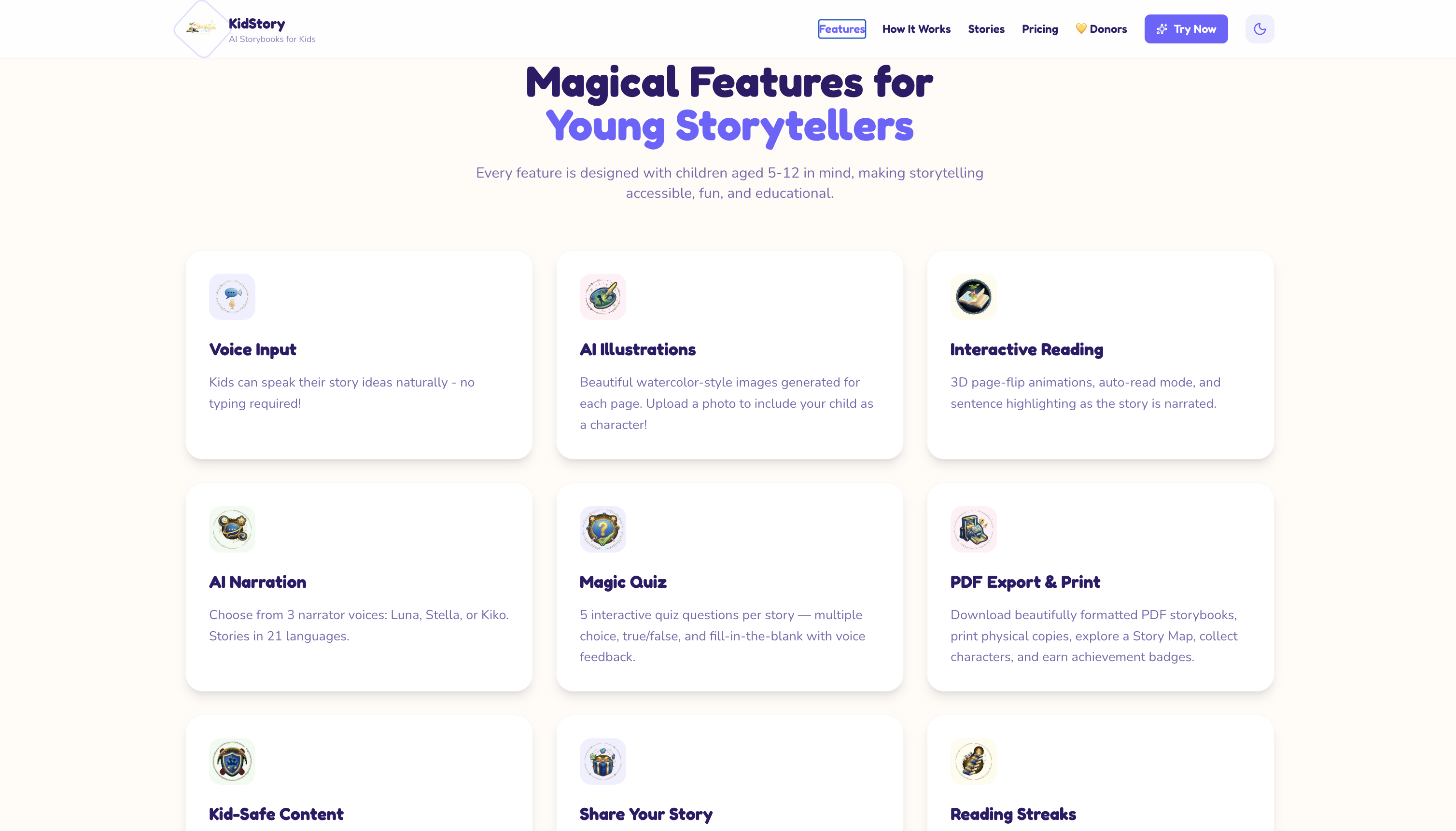
Screenshot: Latest Stories section
Stories — /stories
Full paginated public story gallery. Every story card links directly to ai.kidstory.app/s/{id} so visitors can read the full story in the main app. Also shows platform stats (total users, total books).
Screenshot: Stories gallery
Get Started — /get-started
Sign-up / redirect page that guides new visitors to the main app.
Screenshot: Get Started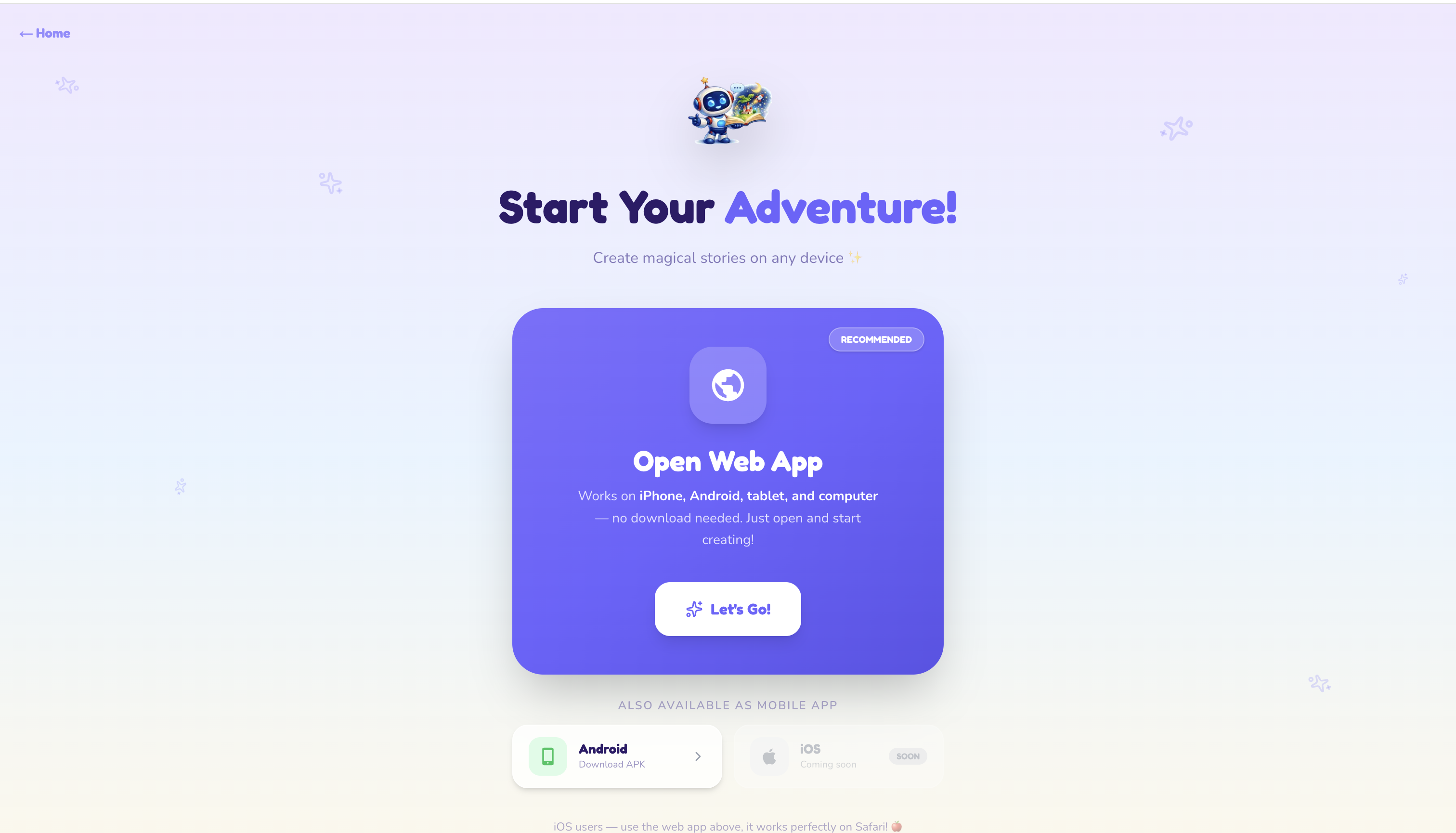
Upgrade — /upgrade
Pro plan pricing page — Free vs Pro comparison, credit amounts, pricing ($4.99/month), and instructions for how to upgrade (manual bank transfer + contact admin, since Timor-Leste has no local payment gateway).
Screenshot: Upgrade / Pricing
Donors — /donors
Public donor wall — sorted by donation amount (highest first). Shows donor photo, name, amount, message, social link, medal/trophy for top 3 donors, and a share button per donor.
Screenshot: Donors wall
Privacy Policy — /privacy
Full privacy policy page.
Terms of Service — /terms
Full terms of service page.
Sections on the Home Page
| Section | Description |
|---|---|
| Hero | Animated mascot, tagline, CTA button |
| Features | 10 feature cards (voice input, AI illustrations, narration, quizzes, PDF, kid-safe, sharing, streaks, parent insights, 21 languages) |
| About | Stats: 5–12 age range, 9 AI agents, 21 languages, 12 badges |
| Latest Stories | Paginated grid of public stories + platform stats (users, books) |
| Print Book | Coming Soon — $9 USD per book, delivery to Dili, Timor-Leste |
| Footer | Links, Facebook page (@kidstory2026), Powered by Gemini |
Languages (i18n)
The whole landing site UI is available in English (default) and Tetum via next-intl. The language toggle sits next to the theme toggle in the header.
- Locale is stored in a
NEXT_LOCALEcookie — no URL prefix, no route changes. - Translations live in
messages/en.jsonandmessages/tet.json(kept at 1:1 key parity). - This controls the UI chrome only — story content shown from the app stays in each story's own language.
- To add a language: add the code to
localesini18n/request.tsand createmessages/<code>.json.
Technology Stack
- Framework: Next.js 16, React 19, TypeScript
- i18n: next-intl (English + Tetum, cookie-based)
- Styling: Tailwind CSS with custom theme (light/dark)
- Animations: Framer Motion 12 + Lottie
- Database: Firebase Firestore (Admin SDK, read-only)
- Deployment: Vercel
- Fonts: Fredoka (headings), Nunito (body), Lora (stories)
Project Structure
storybook-for-kids-landing/
├── app/
│   ├── api/
│   │   ├── stories/          # Public stories (paginated, isPublic=true)
│   │   ├── stats/            # Platform stats (totalUsers, totalStories)
│   │   └── donors/           # Donor wall data
│   ├── donors/               # Donor wall page
│   ├── get-started/          # Get started / sign-up redirect
│   ├── stories/              # Full public story gallery
│   ├── upgrade/              # Pro plan pricing
│   ├── privacy/              # Privacy policy
│   ├── terms/                # Terms of service
│   ├── layout.tsx
│   └── page.tsx              # Main landing page
├── i18n/
│   ├── request.ts           # next-intl config (reads NEXT_LOCALE cookie)
│   └── actions.ts           # Server action to set the locale cookie
├── messages/
│   ├── en.json              # English UI strings (default)
│   └── tet.json             # Tetum UI strings
├── components/
│   ├── layout/
│   │   └── Header.tsx        # Nav with language + theme toggle and CTA
│   ├── sections/
│   │   ├── Hero.tsx
│   │   ├── Features.tsx
│   │   ├── About.tsx
│   │   ├── LatestStories.tsx
│   │   ├── PrintBook.tsx
│   │   └── Footer.tsx        # Includes Facebook @kidstory2026 link
│   ├── ui/
│   │   ├── LanguageToggle.tsx  # English / Tetum switch
│   │   └── ThemeToggle.tsx     # Light / dark switch
│   └── providers/
│       └── ThemeProvider.tsx
└── public/
    ├── animation/            # Lottie animation files
    ├── features/             # Feature card images (.webp)
    ├── logo/                 # Logo variants
    └── mascot/               # Mascot images
Development
npm install
npm run dev      # http://localhost:3000
npm run build
npm start
Environment Variables
NEXT_PUBLIC_FIREBASE_API_KEY=your_api_key
NEXT_PUBLIC_FIREBASE_AUTH_DOMAIN=your_auth_domain
NEXT_PUBLIC_FIREBASE_PROJECT_ID=your_project_id
NEXT_PUBLIC_FIREBASE_STORAGE_BUCKET=your_storage_bucket
NEXT_PUBLIC_FIREBASE_MESSAGING_SENDER_ID=your_sender_id
NEXT_PUBLIC_FIREBASE_APP_ID=your_app_id
NEXT_PUBLIC_APP_URL=https://ai.kidstory.app
NEXT_PUBLIC_SITE_URL=https://kidstory.app
Related Projects
- Main App: storybook-for-kids-app — ai.kidstory.app
- Admin Panel: storybook-for-kids-adm — local only
- Docs Site: storybook-for-kids-docs — docs.kidstory.app